
p2

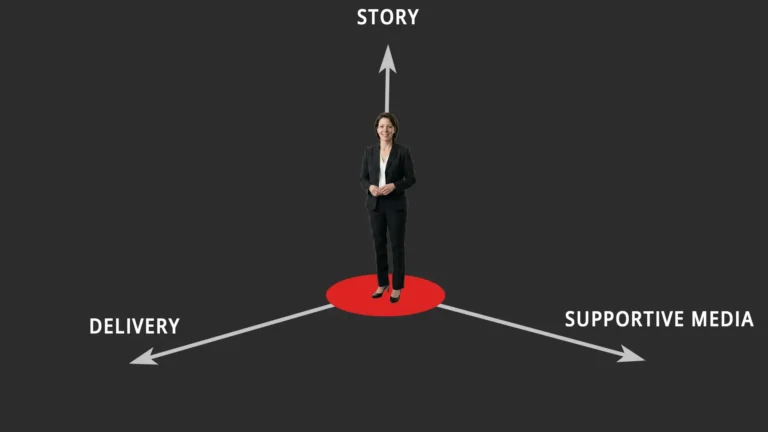
The supportive media (p2) is everything that adds to the story (p1) in its delivery (p3) whether as a presentation or visual aids. If you have visited the site looking for tips on using powerpoint, you will be disappointed. The discussion is around design conceptsuse of text in slides, images and data slides used to illustrate and support the message. It is the least important part of a presentation and some presentations may even be better without slides! Most importantly, the .ppt file is not your presentation.

Cornerstone posts include.
p2 posts

electronic polling

electronic polling

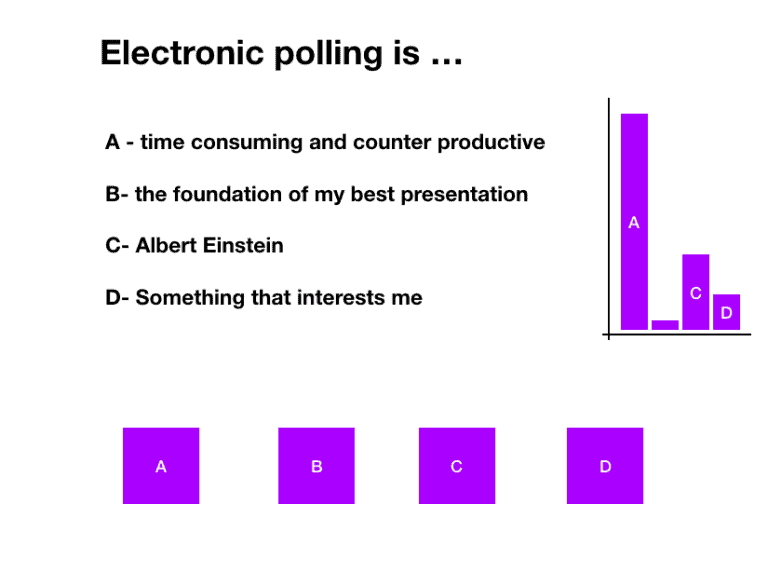
Electronic polling directly involves the audience in a presentation. The exact purpose of this interaction must be established in the preparation. The vote itself may leave the presenter with a…

accessories

Accessories

Accessories “make” an outfit in the same way the p2 (supportive media) “makes” a presentation. Consider the couple in the picture dressed for The Big Event. Both in their finest…

Happy New Year

Happy New Year

Happy New Year! Let’s make it a Happy and a New Year in presentations by ditching the standard slideware template and in particular Blue Wave with Times New Roman, centre…

image search

image search

Image search on Google is a very good way of finding images for a presentation as discussed earlier. As the BBC would say, “other free image sites are available.” Listed…

don't overlay

don’t overlay

Don’t overlay multiple images. Images can only be viewed in isolation. Superimposing one image over another is visually confusing and may lose the value of both. Consider carefully if all…

What colour is a zebra?

What colour is a zebra? Is it white and black stripes or black and white stripes? Ask Marty, the funky Zebra from Madagascar. When it comes to slide design a…

retro fitted

retro fitted

Retro fitted presentations are really not very good. If you have constructed (and delivered) a presentation and have decided to carry out some of the p cubed concepts in your…

format changes

format changes

Format changes often when a presentation is moved from one computer to another. This is the cause of quite a few nervous starts, anxious half hours and embarrassed deliveries. Make…

  • It’s not about the slides

    As Lance Armstrong famously entitled his book on…

  • One message per slide

    In the last blogpost I suggested the best…

  • Delete your slides

    I received a question via Twitter about #presentationskills…

  • That’s a paper, not a slide

    As conference season gets into full swing more…

  • Design affects function

    Simple design changes in the supportive media  make…

  • It’s alright Ma, I’m only bleeding

    This is the Mona Lisa, probably one of…

  • Never say, “I’m sorry.”

    There is no place in a presentation for…

  • Text in presentations

    For the benefit of clarity, I am not…

  • One word for templates.

      One word for templates. No If you…

  • It’s a presentation not a…

    Take your phone out and have a look…